
Fauving arpeggios
Sunday experiments in Loopy Pro

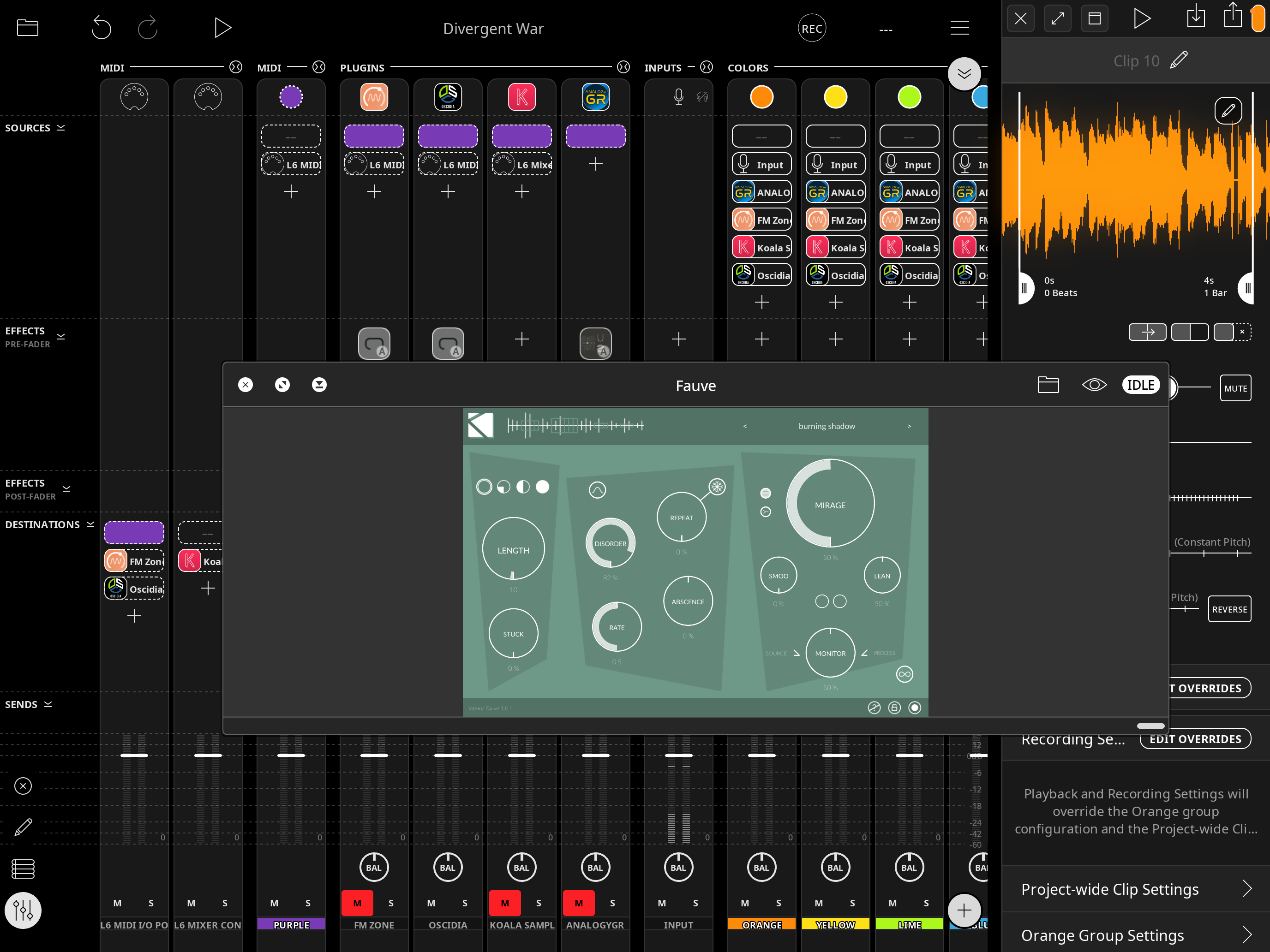
Welcome to another journal. Today I was playing with Loopy Pro, using it as a scratchpad for some ideas. I have started to curate MIDI data recorded from sessions with a small keyboard connected to Loopy and the Oscidia synth (a great auv3 plugin, look it up on the App Store). Switching the Keystep to ARP mode, I played a
and progressed through some inversions on it, recording the MIDI data into a clip - I then played this all back, via Fauve, that I added to the channel. Using Loopy’s record function I made five recordings each with a different preset and that’s what I’ve shared above.
I’ll save this project as a template, to reuse again in the future. It’s got some variations on it plus using the step sequencer built in to the keyboard, it’s easy to setup Loopy to sync with it and record some patterns for performances.
So consider this screenshot:
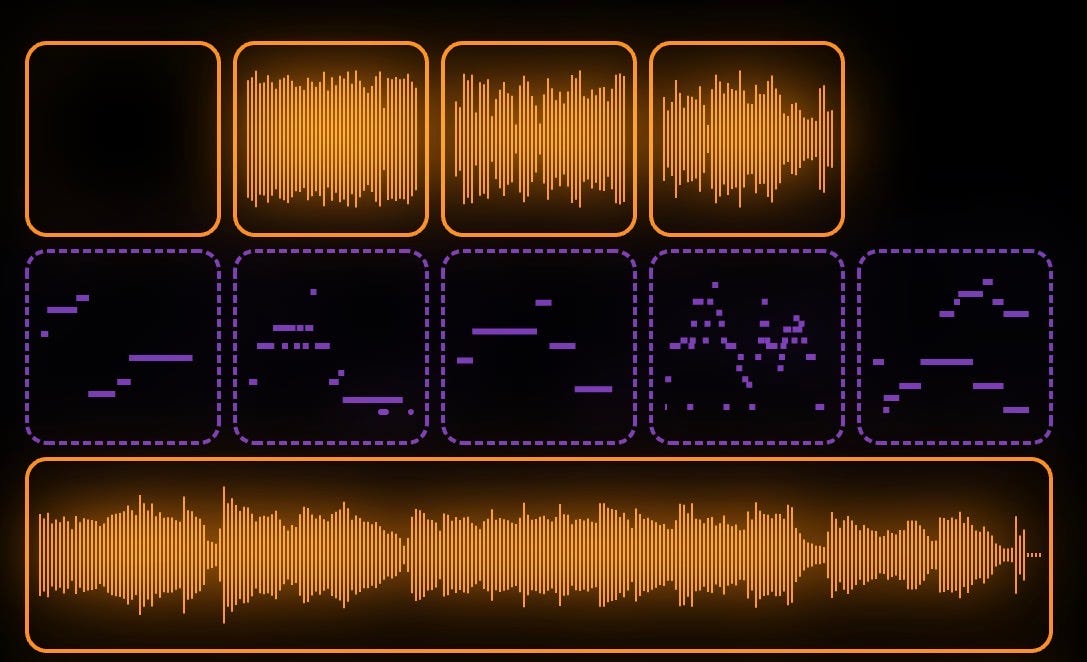
The purple clips all contain some MIDI notation, tapping and holding on each one will play it until you take your finger off. So by tapping on the pads one at a time for a few seconds each means you can record fragments of MIDI from each to create variable melodies. It’s possible to pause playback at the point you stop. Anyway here’s a quick demo of what I mean.
I’ll be back with more of these posts during the week, I highly recommend Loopy Pro which can be found on the App Store. I’ll introduce more features soon and other synths/effects from the AUv3 world.
Have a great week!